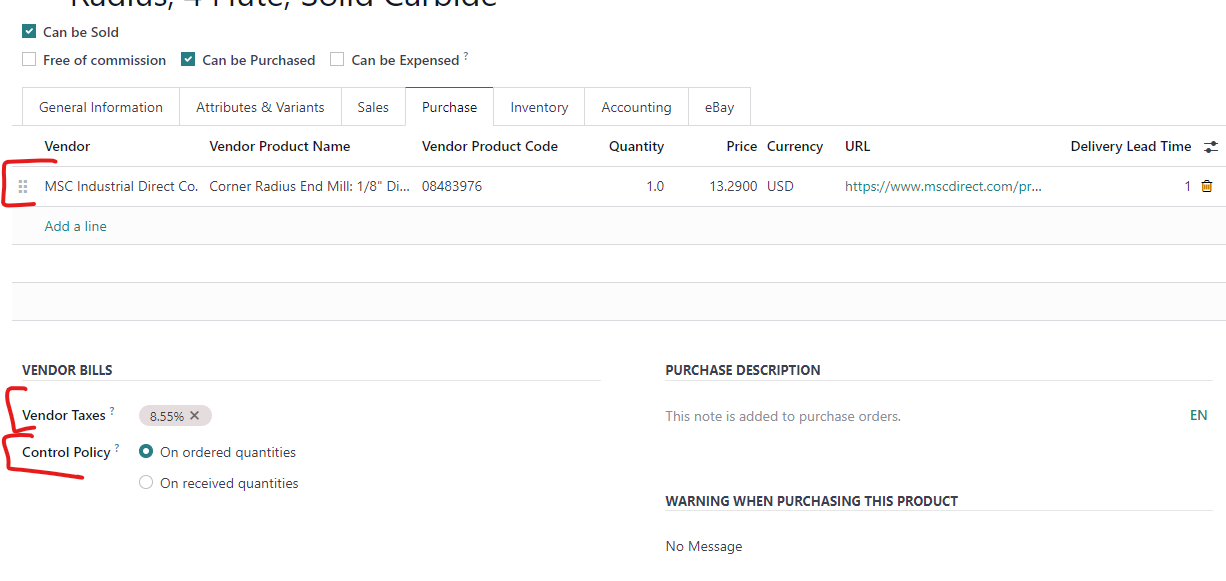
Create Purchase Product
Create Purchase Product
- Navigate to the Purchase Module
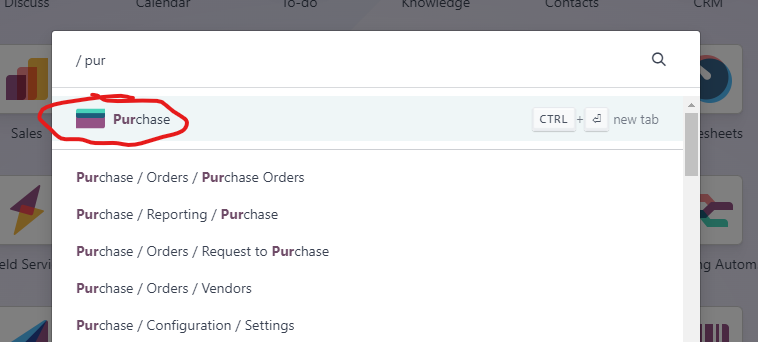
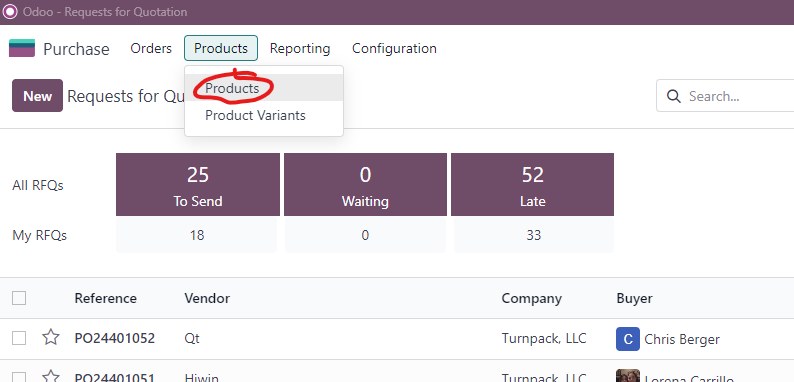
- Click on Products->Products
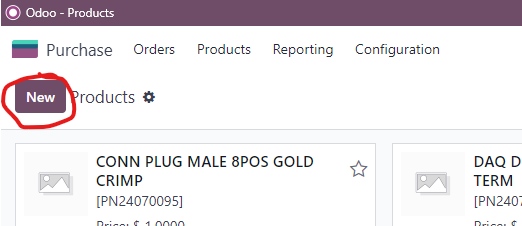
- Click on New
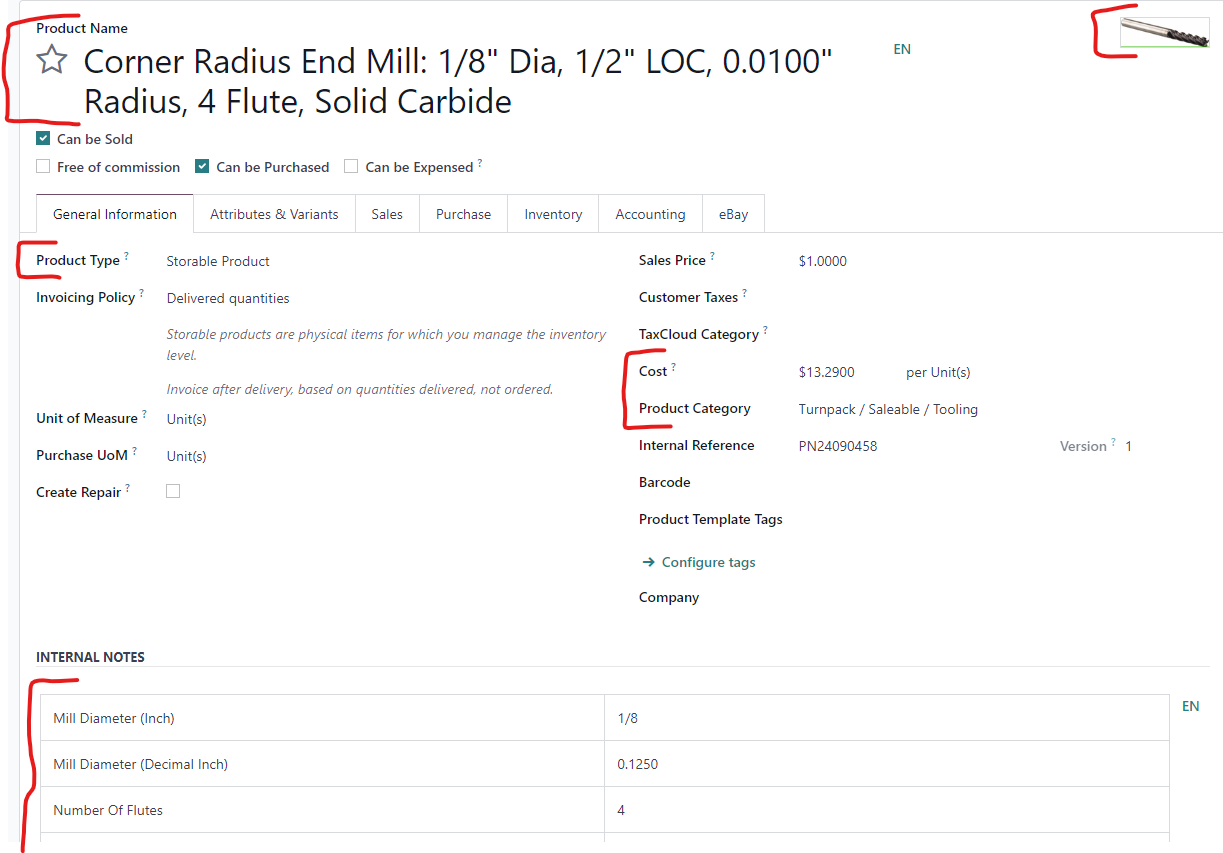
- Complete the following fields:
- Product Name: Copy Name/Description from Website
- Product Type
- Cost
- Product Category
- [Optional] Internal Notes: Copy Specifications from Website to Internal notes
- Image: save the website image as jpeg or png and load it into the product
- Attachments: Where applicable download datasheets and attach to product
- Complete Purchasing Information
- Vendor
- Vendor Product Name
- Vendor Product Code
- Quantity: min Order qty
- Price: Price per unit.
- URL: copy website link and paste it into the field
- Delivery Lead Time
- Vendor Taxes
- Control Policy