- Mailing Lists
- Info Inbox
- ACTION REQUIRED - ASN Failure Notification Setup
Archives
Info Inbox
info@turnpack.com
ACTION REQUIRED - ASN Failure Notification Setup
|
|
|
|
|
SAP Business Network Administrators have the ability to be notified when an ASN fails!
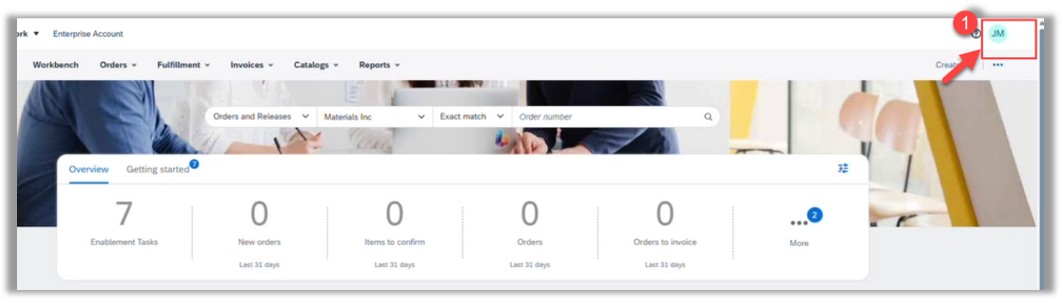
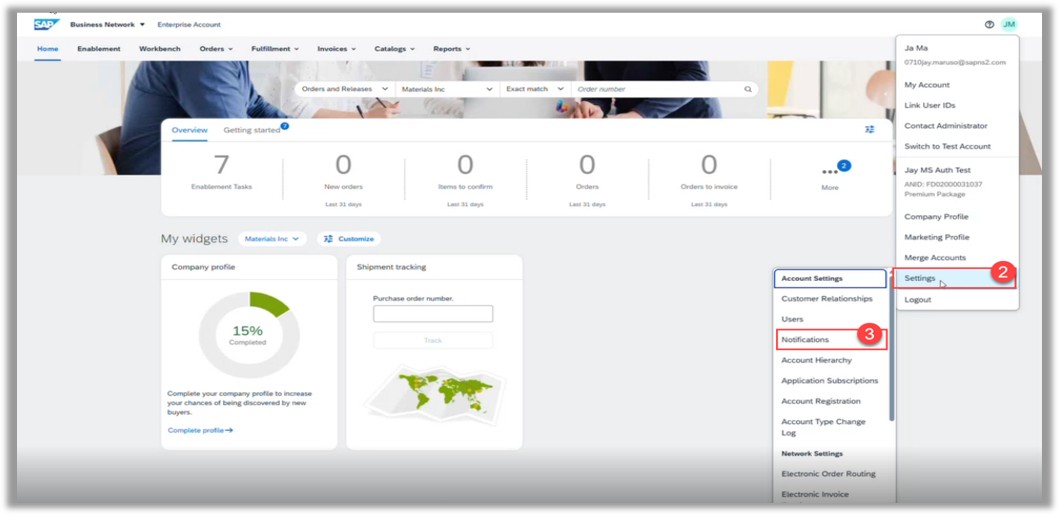
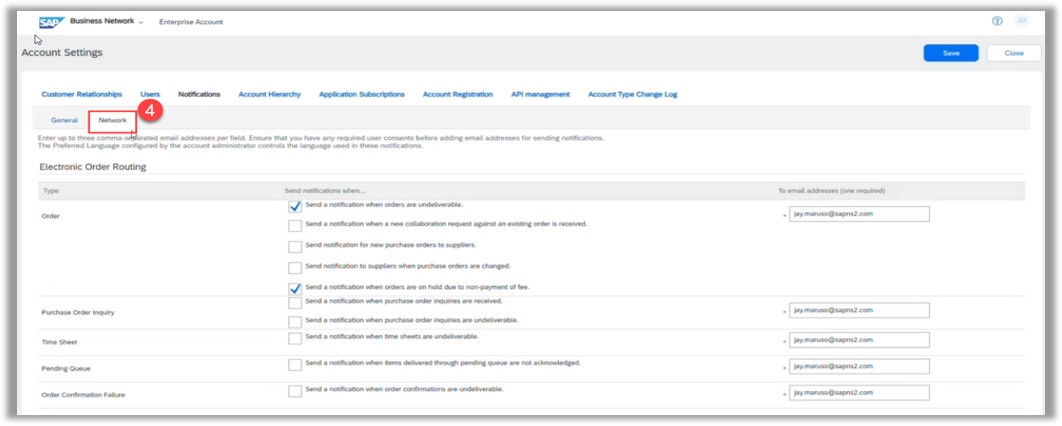
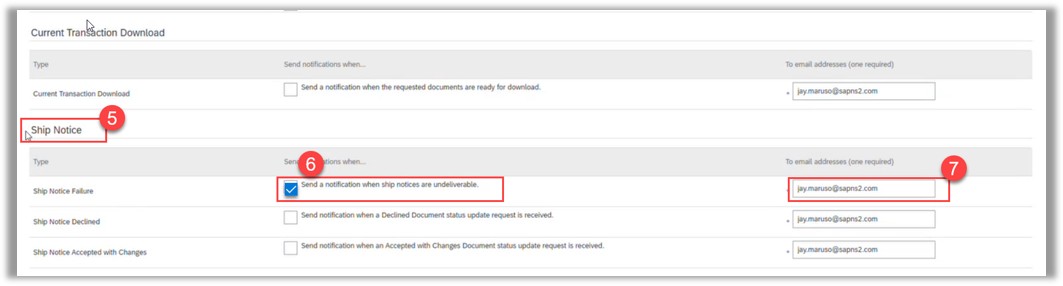
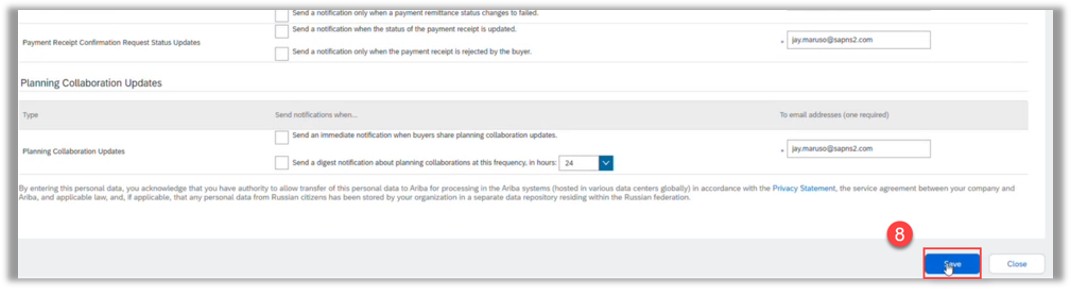
Use the following steps to ensure you are receiving notifications when an ASN fails. You will begin by accessing your SAP Business Network account as the SAP Business Network Administrator.
Once this is complete, you will be successfully registered to receive an email notification if an ASN fails.
For any questions or further clarification, you may contact the support team at Supplier.Onboarding.1LMX@lmco.com.
Best Regards,
Lockheed Martin Supplier Enablement Team
|
|
United for Supply Chain Excellence |


by "1LMX, Supplier Onboarding" <supplier.onboarding.1lmx@lmco.com> - 11:02 - 24 Sep 2026